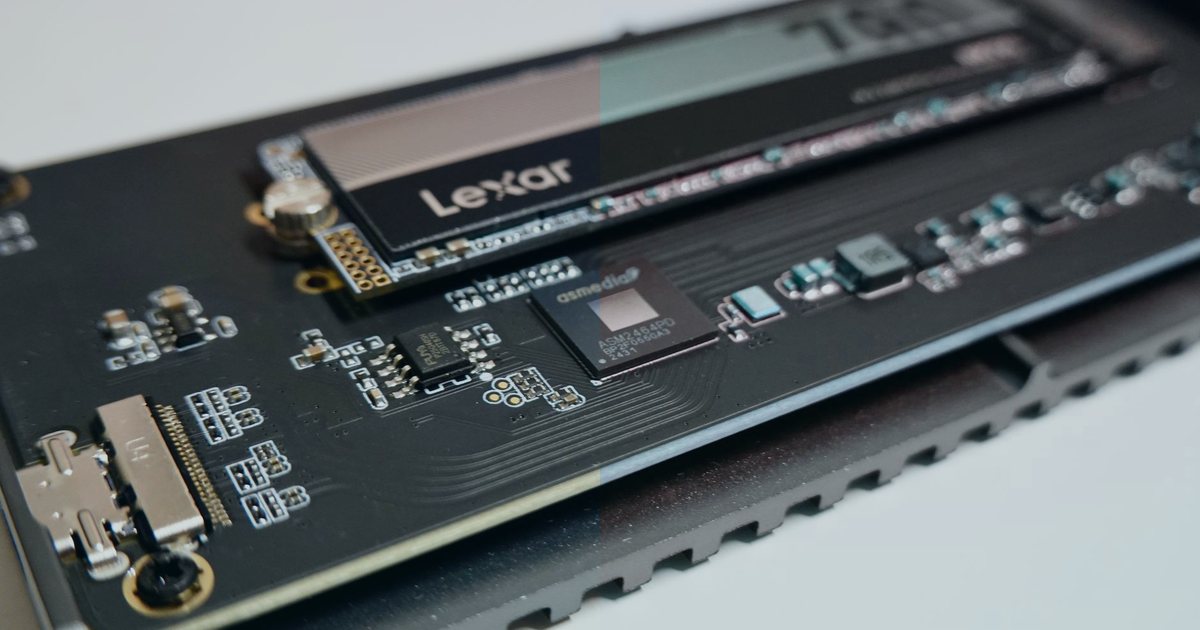
NVMe SSDs changed shared hosting. The speed difference is real, and you'll feel it in database queries, file access, and page load times. If your host still runs SATA drives, you're leaving performance on the table.
I've migrated hundreds of accounts from SATA to NVMe storage over the last few years. The improvement shows up immediately in access logs, MySQL slow query logs, and Time to First Byte metrics. Let me break down what that "3X faster" claim actually means in practice.
How NVMe and SATA storage differ
SATA SSDs connect through the same bus that spinning hard drives used. That interface tops out around 600 MB/s. NVMe drives plug directly into PCIe lanes on the motherboard, bypassing the SATA controller entirely.
The result? Sequential read speeds jump from roughly 500 MB/s on SATA to 3,500 MB/s or higher on NVMe. Write speeds see similar gains. Random I/O performance — the metric that matters most for database workloads — can be five to ten times faster.
Shared hosting amplifies these differences. When dozens of accounts share the same physical drive, queue depth and IOPS (input/output operations per second) become bottlenecks. NVMe handles deeper queues without choking. SATA drives start showing latency spikes under load.
Real-world impact on WordPress and cPanel
WordPress hits the filesystem constantly. Theme files, plugins, uploads, and the wp-content directory all live on disk. Every page render touches dozens of files before PHP even starts processing.
On SATA storage, a typical WordPress install might generate 40-60 ms of disk I/O latency during page assembly. Move that same site to NVMe and latency drops to 8-15 ms. The difference compounds when you're running WooCommerce, page builders, or caching plugins that write to disk.
MySQL benefits even more. InnoDB tables live on disk, and every SELECT, UPDATE, or JOIN triggers read operations. Under concurrent load — say, ten users browsing product pages simultaneously — SATA drives queue those operations. NVMe processes them in parallel.
I've seen average query execution time drop by half after migrating a busy WooCommerce database from SATA to NVMe. The site didn't change. The queries didn't change. Storage I/O just stopped being the bottleneck.
cPanel operations get faster too. Account backups, file manager operations, email queue processing, and log rotation all benefit from reduced I/O wait time. If you've ever watched a cPanel backup crawl along at 20 MB/s, that's SATA overhead.
When the speed difference matters most
Not every site will see a dramatic change. Static HTML sites barely touch the disk after the initial page load. Small blogs with low traffic might not notice the difference at all.
The gains show up when:
- Your site runs database-heavy queries (WooCommerce product searches, custom post type queries, user dashboards)
- You're handling concurrent traffic spikes (flash sales, viral content, automated scraping)
- Your hosting account shares a node with dozens of other active sites
- You're running backup scripts, image optimization plugins, or scheduled cron jobs
- Email queues are large and turnover is high
In support tickets I handled, disk I/O became the limiting factor once CPU and RAM were no longer bottlenecks. You can throw more memory at MySQL or enable OPcache for PHP, but if the drive can't keep up, queries still wait.
Measuring storage performance on your server
You can test your current storage with a few quick commands. SSH into your server and run:
dd if=/dev/zero of=testfile bs=1M count=1024 conv=fdatasync
This writes a 1 GB file and reports the speed. On SATA, expect 300-500 MB/s. On NVMe, you'll see 1,000+ MB/s. The conv=fdatasync flag forces a real disk sync, so you're not just measuring cache.
For random read performance, install fio if it's available:
fio --name=random-read --ioengine=libaio --iodepth=16 --rw=randread --bs=4k --direct=1 --size=1G --numjobs=1 --runtime=60 --group_reporting
This simulates random 4K reads — closer to real database access patterns. SATA drives might hit 10,000-15,000 IOPS. NVMe can exceed 100,000 IOPS.
If you don't have root access, check your hosting provider's specs or open a ticket asking which storage backend your account uses. Most providers advertise NVMe prominently now because it's a selling point.
What about hybrid setups?
Some hosts use tiered storage: NVMe for hot data (active databases, recently accessed files) and SATA or spinning disks for cold storage (backups, archives, old logs). This makes sense from a cost perspective.
The problem is predicting what counts as "hot." If your image library lives on slow storage but your theme tries to serve those images on every page load, you've just negated the NVMe advantage for that request path.
Ask your host how storage tiering works. If they're caching aggressively in RAM or using a CDN for static assets, hybrid storage might be fine. If not, pay for all-NVMe.
Shared hosting vs. VPS storage performance
Shared hosting on NVMe doesn't guarantee fast I/O. If the provider oversells the node — cramming 200 accounts onto a single drive — you're still competing for IOPS. NVMe helps, but it's not magic.
On a VPS, you typically get dedicated IOPS allocation or at least burst capacity. Providers like Vultr, Linode, and DigitalOcean specify IOPS limits in their pricing tiers. A 2-CPU VPS might come with 3,000-5,000 IOPS guaranteed.
That matters more than raw throughput for database workloads. I'd rather have 5,000 guaranteed IOPS on SATA than share a fast NVMe drive with 50 other accounts.
If you're on shared hosting and seeing slow disk performance, check iostat or iotop during peak hours. High I/O wait percentages mean the drive is saturated. NVMe or not, you might need to move to a less crowded node or upgrade tiers.
SSL/TLS handshake performance
SSL certificates and private keys live on disk. Every HTTPS handshake reads the certificate chain and private key from storage. On high-traffic sites, that's thousands of reads per minute.
NVMe reduces the latency of those reads, which shaves a few milliseconds off the TLS handshake. It's not huge, but it's measurable. Combined with session resumption and OCSP stapling, you can get first-byte times under 100 ms even on shared hosting.
If you're running a CDN like Cloudflare, this matters less — the CDN terminates TLS at the edge. But for direct-to-origin traffic, storage speed affects every encrypted connection.
Backup and restore speed
Full cPanel backups can take hours on SATA storage, especially if you're backing up large databases or file trees. NVMe cuts that time significantly.
For a 10 GB account with 2 GB of database data, I've seen backup times drop from 45 minutes on SATA to under 15 minutes on NVMe. Restores are even faster because you're typically writing sequentially.
If your host charges for backup storage or limits backup frequency, faster backups mean you can run them more often without hitting I/O quotas.
Cost vs. performance tradeoff
NVMe hosting costs more. Not dramatically — maybe $2-5/month extra on shared plans — but the gap exists. For personal blogs or low-traffic sites, SATA is fine.
For e-commerce, membership sites, or anything with a database-driven backend, the speed pays for itself. Faster page loads improve conversion rates. Reduced server load means you can handle more traffic before needing to scale up.
I tell clients to check their peak I/O wait times first. If iostat shows consistent I/O wait above 5-10%, storage is a bottleneck and NVMe will help. If I/O wait is near zero, you're CPU or memory bound, and faster storage won't make much difference.
What to check before upgrading
Before you migrate to NVMe hosting, confirm:
- Current I/O patterns: Use
iostat -x 1or your hosting panel's resource graphs to see if disk is actually your bottleneck. No point paying for NVMe if CPU is maxed out. - Provider's IOPS limits: Some "NVMe hosting" plans still throttle IOPS. Ask for specifics.
- RAID configuration: If the host uses RAID 10 across NVMe drives, you get redundancy but lose some speed. RAID 0 is faster but riskier.
- Backup strategy: Faster storage doesn't help if you have no backups. Verify the host's backup retention and restoration process.
- Migration downtime: Moving between storage backends usually requires a brief outage while files and databases copy. Plan accordingly.
Frequently asked questions
Does NVMe help email delivery speed?
Indirectly. Exim and Postfix queue messages on disk. Faster I/O means faster queue processing, which reduces delivery lag during traffic spikes. You won't see much difference at low volumes.
Can I mix SATA and NVMe on the same server?
Yes, if you have root access. Mount NVMe drives at paths where hot data lives (/var/lib/mysql, /home, /var/www) and use SATA for logs or archives. Just keep your MySQL data directory on the fastest storage.
Will NVMe fix slow WordPress admin pages?
Maybe. If the slowness comes from plugin queries hitting the database, faster storage helps. If it's a poorly coded plugin making external API calls, storage won't matter. Check Query Monitor or Debug Bar to see where time is spent.
Do CDNs make NVMe unnecessary?
No. CDNs cache static assets, but dynamic content still hits your origin server. Database queries, PHP execution, and uncached API endpoints all depend on storage speed.
What makes the biggest difference
NVMe hosting performance is real. Sequential throughput, random IOPS, and latency all improve by multiples compared to SATA. For shared hosting environments where dozens of accounts compete for disk access, NVMe prevents I/O congestion.
The three-times-faster number is conservative. In database-heavy workloads, I've seen five-to-ten-times improvements in query latency. For WordPress, WooCommerce, and cPanel operations, the difference is noticeable and measurable.
Check your current I/O wait times and compare host pricing. If disk is a bottleneck and the price difference is small, NVMe is worth it.