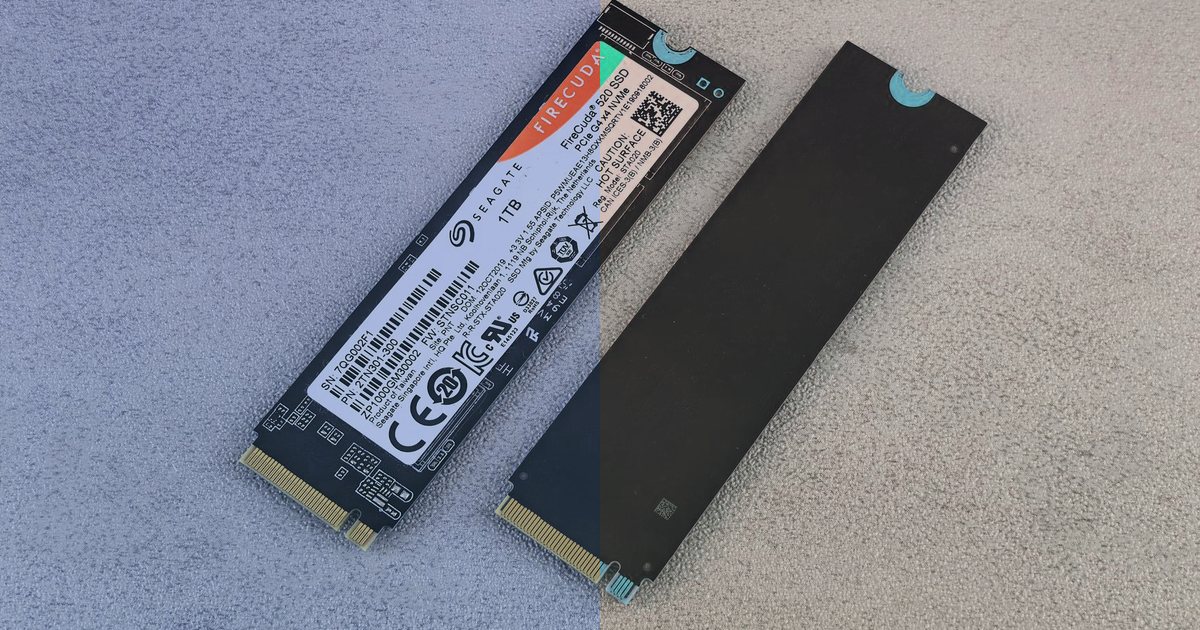
NVMe and SATA SSD both use flash storage, but the interface and protocol make the difference. SATA was designed for spinning disks and tops out around 600 MB/s. NVMe connects directly to PCIe lanes and can push 3,500 MB/s or more on a single drive.
For web hosting that means faster database writes, quicker file searches, and shorter page-generation times when your CMS has to stitch together dozens of queries. The gap shows up most in workloads that hammer the disk with small random reads and writes.
How NVMe differs from SATA SSD
SATA SSD uses the AHCI protocol, originally built for mechanical hard drives. Every I/O request goes through a command queue limited to 32 outstanding operations. NVMe was written from scratch for flash and supports 65,536 queues with 65,536 commands each.
That queue depth rarely matters for a single-threaded script. It matters a lot when twenty WordPress requests arrive at the same time, each firing off a dozen MySQL queries while the page cache rebuilds in the background.
The physical connection is different too. SATA drives plug into a SATA port on the motherboard, which then connects to the chipset over a few PCIe lanes. An NVMe drive sits in an M.2 slot or U.2 connector that talks directly to the CPU, cutting out the middleman and shaving microseconds off every operation.
IOPS: where the speed difference lives
Sequential throughput—reading or writing one big file—looks impressive in marketing but rarely bottlenecks a web host. Random I/O operations per second (IOPS) is the number that predicts how fast your database responds under load.
A typical SATA SSD delivers 80,000 to 100,000 random read IOPS at queue depth 32. A mid-range NVMe drive hits 400,000 to 600,000 IOPS at the same queue depth. That's four to six times more operations in the same second.
Write IOPS show a similar gap. SATA SSDs land around 80,000 random write IOPS; NVMe drives push 200,000 to 500,000. For a WordPress site saving post revisions, processing WooCommerce orders, or logging form submissions, those writes add up.
Queue depth 1—one operation at a time—narrows the gap because you're not exploiting NVMe's parallelism. Even there NVMe often wins by 50 to 100 percent thanks to lower latency.
WordPress: where you'll notice it
WordPress without object caching hits the database on every page load. A typical homepage might run fifteen to thirty SELECT queries pulling posts, metadata, options, and user sessions. An NVMe host finishes that query batch faster, especially when the queries arrive in parallel during a traffic spike.
Page builders and e-commerce plugins multiply the query count. I've seen WooCommerce product pages generate sixty queries before a single line of HTML renders. On SATA SSD that page might take 800 ms to build; on NVMe it drops to 300 ms. The difference compounds when ten visitors land at once.
File operations matter too. WordPress checks for plugin updates, scans the uploads directory, and writes transient cache files to disk. NVMe handles those small file touches without stalling the request.
Plugins that manipulate images—cropping thumbnails, adding watermarks—benefit from faster read and write speeds during the processing loop. The same applies to backup plugins that tar up your entire site in the background.
Database workloads: MySQL and MariaDB
MySQL's InnoDB engine writes every transaction to the redo log before acknowledging the commit. That's a synchronous disk write. If your application inserts a hundred rows in a loop without batching, you're waiting on a hundred fsync calls.
NVMe's lower latency cuts the time spent in that fsync from around 1 ms on SATA SSD to 0.1–0.3 ms on NVMe. A hundred inserts that took 100 ms now take 30 ms. The web request finishes sooner and the database can handle more concurrent writes.
Read-heavy queries—reports, analytics dashboards, search endpoints—gain less from NVMe if the working set fits in the InnoDB buffer pool. Once you exceed available RAM and queries start hitting disk, NVMe's IOPS advantage reappears.
Full-text search on large tables or ORDER BY queries that spill to temporary tables on disk will also finish faster on NVMe. The same applies to index builds after a schema migration.
When SATA SSD is still enough
Static sites served by Nginx or Apache don't touch a database. The bottleneck is usually network bandwidth or CPU time spent compressing responses. An NVMe upgrade won't speed up a flat HTML site unless you're serving thousands of tiny files per second.
Low-traffic WordPress installations—under a few hundred visits per day—rarely max out SATA SSD IOPS. The database spends most of its time idle. If your load average stays below 1.0 and disk wait time is zero, you're not I/O bound.
Shared hosting environments often throttle IOPS at the hypervisor or storage layer to prevent one account from starving others. Even if the underlying hardware is NVMe, your container might see 1,000 IOPS whether the drive can deliver 100,000 or 500,000. Check your hosting provider's IOPS limits before assuming you'll get the full benefit.
Budget matters. SATA SSD hosting costs less, and the performance is a massive jump over spinning disks. If your application isn't bottlenecked by disk I/O right now, spending extra for NVMe buys you headroom you don't yet need.
How to measure the difference yourself
Benchmarking in production is risky, but you can test during low-traffic windows or on a staging clone. Use fio to simulate random read and write patterns that mirror database behavior:
fio --name=randread --ioengine=libaio --iodepth=32 --rw=randread \
  --bs=4k --direct=1 --size=4G --numjobs=4 --runtime=60 --group_reporting
That command runs four threads doing random 4 KB reads for sixty seconds. Compare the IOPS number between your SATA and NVMe hosts. The --iodepth=32 flag exercises the command queue; lower it to 1 to see single-threaded performance.
For write testing, change --rw=randread to --rw=randwrite. Be careful: this will create a 4 GB file and hammer the disk. Run it on a test partition or a disposable VPS.
WordPress-specific testing: install Query Monitor and note the database query time under load. Use a tool like ab or wrk to simulate concurrent requests:
ab -n 1000 -c 10 https://yoursite.com/sample-page/
That fires 1,000 requests with ten concurrent connections. Compare the mean response time on SATA versus NVMe hosting. Make sure object caching is off so you're actually hitting the database.
Real support cases where NVMe fixed slow sites
One client ran a WooCommerce store on SATA SSD VPS with 8 GB RAM. Product pages took two to three seconds to load during peak hours. MySQL slow query log showed no individual query over 50 ms, but the sheer volume of small queries was piling up.
Migrated the database to an NVMe VPS with identical CPU and RAM. Page load time dropped to under one second. The difference was entirely in aggregate disk wait time across thirty queries per request.
Another case: a WordPress Multisite network hosting forty subsites. The main site table had 200,000 posts. Admin dashboard searches would time out because WordPress was scanning post metadata on disk. SATA SSD IOPS spiked to the limit during these searches. NVMe brought IOPS utilization down to 30 percent and the searches finished in seconds instead of timing out.
Backup jobs are a third common pain point. A 50 GB cPanel account backup on SATA SSD could take ninety minutes, during which MySQL replication lagged because the backup process was reading every InnoDB file. Same backup on NVMe finished in twenty-five minutes with no replication lag.
Latency vs throughput: why microseconds matter
Latency is the time to complete one I/O operation. Throughput is how many operations you complete per second. NVMe improves both, but latency is what you feel in application response time.
SATA SSD latency hovers around 50–100 microseconds for a random read. NVMe latency is 10–30 microseconds. That difference seems tiny until you're waiting on a hundred reads to render a page. A hundred operations at 100 μs each is 10 ms; at 20 μs it's 2 ms. Multiply by ten concurrent users and the gap becomes visible.
Database transactions that require multiple round-trips—read a row, update it, read related rows, update those—stack latency on latency. Shaving 50 μs per operation adds up fast in a complex query plan.
What to check before upgrading
Run iostat -x 1 during peak traffic and watch the %util column for your storage device. If it stays below 50 percent, disk I/O isn't your bottleneck. Look at CPU, memory, or network first.
Check your database's buffer pool hit ratio. In MySQL, run:
SHOW GLOBAL STATUS LIKE 'Innodb_buffer_pool_read%';
Calculate (Innodb_buffer_pool_read_requests - Innodb_buffer_pool_reads) / Innodb_buffer_pool_read_requests. If that's above 99 percent, most reads are served from RAM and disk speed matters less.
Profile your application. WordPress plugins like Query Monitor or APM tools like New Relic will show you where time is spent. If database queries account for 10 percent of page generation time and template rendering takes 80 percent, faster storage won't make a dent.
Finally, confirm your hosting plan isn't IOPS-limited. Some cloud providers cap IOPS based on provisioned storage size or instance type, and upgrading the storage tier matters more than the underlying drive technology.
Can NVMe wear out faster than SATA SSD?
NVMe and SATA SSD both use NAND flash with similar endurance ratings measured in drive writes per day (DWPD) or total bytes written (TBW). A typical consumer NVMe drive is rated for 0.3 DWPD over five years; enterprise drives go higher. SATA SSDs have equivalent ratings. The interface doesn't change the flash lifespan.
Web hosting workloads—database logs, cache writes, session files—generate write activity, but rarely enough to exhaust a modern SSD within its warranty period. Monitor SMART attributes like "Percentage Used" to track wear.
Does NVMe use more power or generate more heat?
NVMe drives can draw more power under full load because they're moving more data, but idle power is often lower than SATA SSD because the controller can enter deeper sleep states. Heat output is slightly higher on NVMe during sustained writes, but well within thermal limits for M.2 slots with passive cooling.
In a data center with proper airflow, thermal throttling is rare. On a laptop or passively cooled server, check that your NVMe drive has a heatsink or thermal pad.
Will my existing cPanel or Plesk setup benefit from NVMe?
Yes, if your sites are database-driven. Control panel overhead—parsing config files, updating statistics—also gets faster. Daily backup jobs, mail queue processing, and log rotation all involve lots of small file operations that favor NVMe.
The control panel itself won't feel faster when you're clicking through the interface, but background tasks finish sooner and free up resources for serving visitors.
Is NVMe overkill for a small blog?
If your blog gets fifty visits a day and the database is 10 MB, SATA SSD is plenty. The cost difference might be five or ten dollars a month. If that money is better spent on CDN, SSL, or backups, prioritize those.
NVMe gives you headroom for traffic growth and plugin sprawl without having to migrate later. If the price difference is minimal, take the faster hardware.
Start with workload profiling, then decide
The performance gap between NVMe and SATA SSD is real and measurable, especially for database-heavy applications. WordPress sites with thousands of posts, e-commerce stores processing orders, and any workload that writes logs or cache files will finish requests faster on NVMe.
That said, disk I/O is one variable among many. Profile your current bottlenecks with iostat, MySQL slow query logs, and application performance monitoring before committing to an upgrade. If your disk utilization is low and queries are already fast, adding more RAM or optimizing indexes will deliver better results than switching storage.
When IOPS is the constraint—sustained high disk utilization, slow queries that don't show up in the slow log because they're individually fast but numerous—NVMe will cut response times and raise your traffic ceiling. The improvement isn't subtle: four to six times more IOPS translates directly into faster page builds and happier visitors.