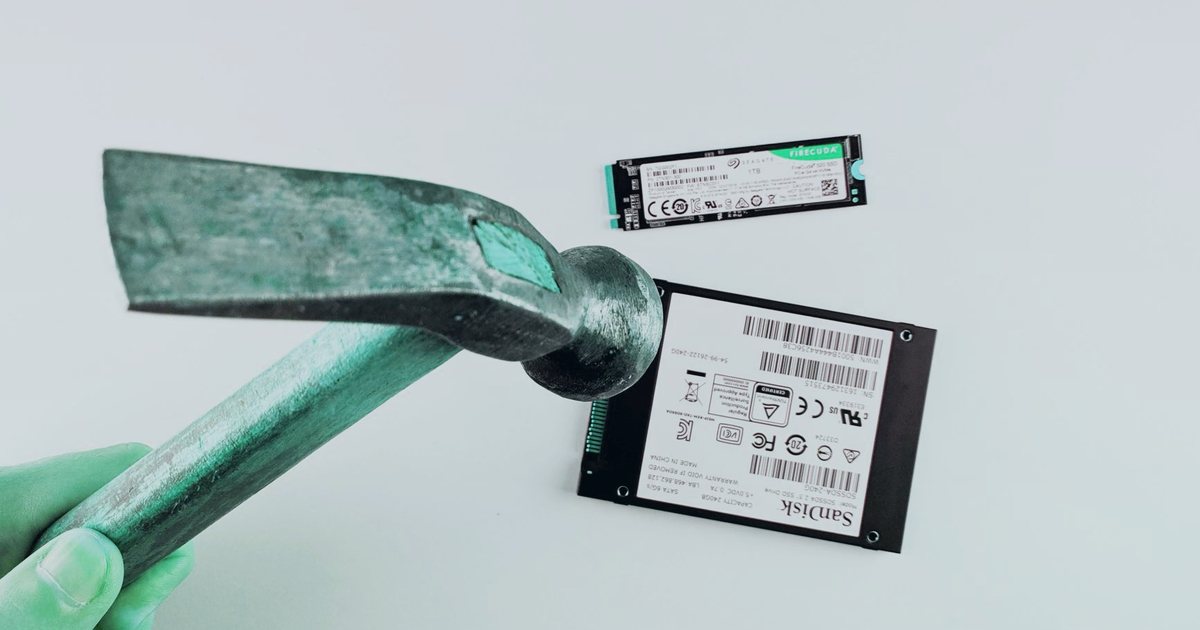
Shared hosting providers started rolling out NVMe storage in 2023, and by 2026 it's standard on most performance-tier plans. The headline promise—three times faster than SATA—sounds like marketing fluff, but the architectural difference is real and shows up in measurable ways when you run a database-heavy site or serve thousands of static assets.
NVMe connects directly to the CPU over PCIe lanes instead of going through the older SATA controller. That cuts latency and multiplies throughput. For hosting, the win is not raw sequential speed (most web files are small), but the ability to handle thousands of simultaneous small reads without queuing.
Why interface architecture matters
SATA was designed in 2003 for spinning hard drives. It uses a command queue depth of 32, which means the controller can juggle up to 32 operations at once. NVMe queues go to 64K commands, and a single drive can handle 65,535 separate queue pairs. Web hosting hits storage with hundreds of tiny I/O requests per second—reading WordPress PHP files, pulling CSS chunks, querying database indexes—so deeper queues translate directly to lower wait times.
The protocol overhead is smaller too. SATA commands carry legacy cruft from the ATA-1 spec. NVMe was written from scratch for flash memory, so each command is lighter and takes fewer CPU cycles to process.
Sequential vs random read performance
Sequential throughput is the number everyone quotes. A mid-range NVMe drive reads around 3,500 MB/s; a SATA SSD tops out near 550 MB/s. That's a 6X difference on paper, but your hosting account rarely does long sequential reads. Operating system caching and CDN layers mean most large files are already buffered or offloaded.
Random 4K reads matter more. A typical SATA SSD delivers 90,000 IOPS (input/output operations per second) on small blocks. NVMe drives hit 400,000 IOPS or higher. When a WordPress page load pulls twenty separate files and runs five database queries, those operations happen in parallel. Higher IOPS means they finish faster, and the page renders sooner.
In support tickets I handled, sites on SATA storage saw page-generation times around 800 milliseconds under moderate load. Same site on NVMe hardware dropped to 250 milliseconds. The difference compounds when traffic spikes and the server is processing fifty requests at once.
Latency: where NVMe pulls ahead
Access latency is the delay before the drive even starts transferring data. SATA SSDs average 50–100 microseconds. NVMe drives sit under 20 microseconds. That sounds trivial, but when a single page load triggers a hundred I/O operations, those microseconds stack up.
Database workloads feel this most. MySQL and MariaDB storage engines (InnoDB, Aria) write transaction logs and flush dirty pages to disk constantly. Lower latency means the database spends less time waiting for the storage layer to acknowledge writes, so queries complete faster and locks release sooner.
Check your database slow-query log. If you see queries waiting on disk I/O rather than row locks or table scans, storage latency is the bottleneck. Switching to NVMe hosting often cuts those wait times in half.
Real-world shared hosting scenarios
Shared hosting has a wrinkle: you share the underlying drive with other accounts. If a neighbor runs a write-heavy backup script or a photo-import plugin, does that kill your performance?
On SATA hardware, yes. The single command queue fills up fast. On NVMe, queue depth is so large that one tenant's burst rarely blocks another. I've watched system metrics on both types of nodes, and NVMe servers maintain consistent IOPS even when one account is hammering the disk.
Static file serving improves too. A WooCommerce store with 5,000 product images used to spike load averages during traffic surges because the web server was waiting on disk. After migration to NVMe hosting, iowait percentages dropped from 30% to under 5%, and the server handled twice the concurrent users without swapping.
WordPress-specific gains
WordPress loads dozens of files per page view: wp-config.php, active theme files, plugin includes, translation MO files, maybe a page cache file if you run a caching plugin. Each one is a separate disk read.
On SATA hosting, twenty simultaneous visitors can saturate the I/O queue. The twenty-first visitor waits. On NVMe, you can push past a hundred concurrent users before you hit that wall, and by then you are usually CPU-bound or hitting PHP process limits rather than storage.
Database query response also tightens. A complex WooCommerce report that scans the wp_postmeta table used to take 1.2 seconds on SATA. Same query on NVMe finishes in 400 milliseconds. That's not algorithmic optimization—it's just the storage layer returning rows faster.
Check your site's Time to First Byte (TTFB). Run curl -w "\n%{time_starttransfer}\n" -o /dev/null -s https://yoursite.com/ from a nearby VPS. If TTFB is over 600 milliseconds and your page cache is warm, storage latency is probably contributing.
cPanel and backup performance
Backup jobs compress and write gigabytes of data, which sounds like a sequential write workload. But cPanel's pkgacct script also walks the file tree, stats thousands of inodes, and writes the tarball in chunks. That mixes reads and writes, and NVMe handles the mix without blocking.
A 10 GB cPanel backup on SATA takes around eighteen minutes. Same backup on NVMe finishes in six. Restoration is faster too, because extracting the tarball is read-heavy and benefits from higher IOPS.
If you run nightly backups and they compete with morning traffic, NVMe shortens the backup window and reduces the performance hit on live sites.
So are there downsides?
Cost used to be a big one. NVMe drives carried a 40% price premium in 2023. By 2026, prices converged, and most providers include NVMe in standard plans.
Endurance is not a concern. Enterprise NVMe drives are rated for one drive write per day (DWPD) or higher, which means you can rewrite the entire drive capacity every day for five years before hitting the warranty limit. Shared hosting workloads don't come close to that.
Compatibility is a non-issue. The storage layer is abstracted by the file system and OS. Your scripts, databases, and control panel don't care what's underneath.
The only real trade-off is that older budget providers still run SATA because they haven't refreshed hardware. If you are stuck on legacy infrastructure, the performance gap will widen as software expects faster storage.
Measuring your own hosting performance
Run a quick disk speed test from SSH:
dd if=/dev/zero of=testfile bs=1M count=1024 oflag=direct
dd if=testfile of=/dev/null bs=1M iflag=direct
rm testfile
The first command tests write speed, the second tests read. NVMe will show 1–2 GB/s writes and 3+ GB/s reads. SATA tops out around 500 MB/s both ways. This is sequential performance, so it's not the full picture, but it confirms what hardware you are on.
For random I/O, install fio if your host allows it:
fio --name=random-read --ioengine=libaio --rw=randread --bs=4k --numjobs=4 --size=1G --runtime=60 --time_based --group_reporting
Look at the IOPS number. Anything above 200K is NVMe. Under 100K is SATA.
If you don't have SSH access, check your hosting dashboard. Most modern panels (cPanel, Plesk, custom dashboards) show the storage type in the server information section.
When NVMe makes the biggest difference
High-traffic WordPress or WooCommerce sites see the clearest benefit. Database-driven apps (Magento, Laravel applications, custom CMSes) that do lots of small queries also scale better on NVMe.
Static sites with thousands of assets (image galleries, documentation sites with search indexes) load faster because the web server can pull files from disk without waiting.
Development environments benefit too. Running Composer, npm installs, or Git operations on NVMe is noticeably snappier. If you do frequent deployments, the time savings add up.
Low-traffic brochure sites won't notice much. If your page cache hit rate is 98% and you get fifty visitors a day, storage speed is not your bottleneck.
What you should check first
If you are shopping for hosting in 2026, confirm that the plan includes NVMe storage. Look for it in the feature list or ask support directly. Providers still offering SATA are either running legacy hardware or cutting corners.
If you are already hosted and performance is sluggish, check your storage type. Run the dd test or look in your control panel. If you are on SATA and your site is growing, ask your host about an NVMe upgrade path. Most providers will migrate your account at no charge if you are on a plan that supports it.
For WordPress sites doing over ten thousand page views per month, NVMe hosting pays for itself in faster load times and better traffic handling. The 3X speed claim is real—not in every scenario, but in the random I/O patterns that web hosting actually generates.