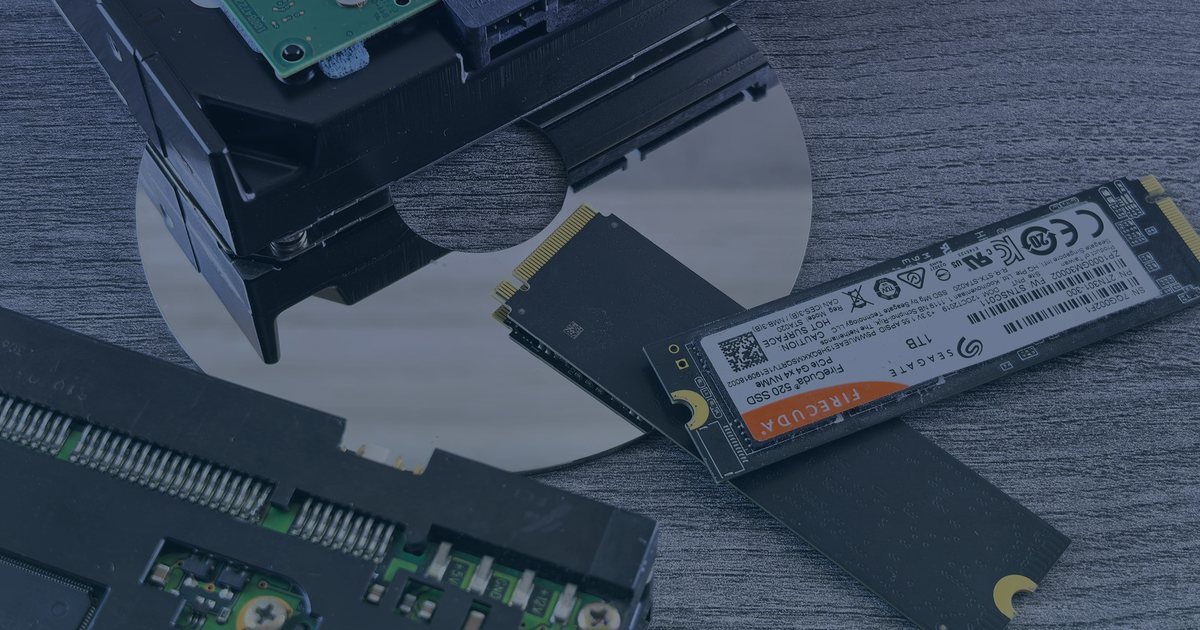
Most hosting plans list storage speed in vague terms. "Fast SSD" means little when you are trying to debug a slow checkout page at 2 AM. The difference between enterprise SATA and NVMe is not just a marketing curveball. It changes how your database handles concurrent writes.
I have spent years in support tickets where the root cause was I/O wait. The app was fine. The CPU was idle. The disk was choking. This article breaks down three specific tests you can run to quantify that gap. We will look at random read/write performance, latency under load, and real-world database impact. No fluff. Just the numbers that matter for your uptime.
Why I/O Matters More Than CPU
In a high-traffic web application, the bottleneck is rarely the processor. Modern CPUs can handle thousands of requests per second if the data is in memory. But databases live on disk. Every SELECT that misses the buffer pool hits the storage layer. Every INSERT waits for a write acknowledgement.
SATA drives use a mechanical or pseudo-mechanical interface. Even solid-state SATA drives are limited by the AHCI protocol and the SATA bus speed. NVMe uses the PCI-Express bus directly. It skips the middleman. The result is lower latency and higher throughput.
For a static site, this might not matter. For a WordPress site with 50,000 daily visitors, or a Node.js API serving JSON to thousands of clients, it is the difference between a 200 OK in 50ms and a 504 Gateway Timeout at 30s.
Test 1: Random 4K IOPS with fio
The most common operation in a web server database is random 4K reads and writes. This is where NVMe shines. To test this, we use fio, the standard tool for storage benchmarking on Linux.
First, install fio if it is missing. On CentOS/RHEL:
yum install fio
On Ubuntu/Debian:
apt-get install fio
Now, run a test that simulates a database workload. We will use 4K block size, direct I/O (bypassing the page cache to see raw disk performance), and a queue depth of 16 to simulate concurrent requests.
fio --name=randread --ioengine=libaio --direct=1 --bs=4k --iodepth=16 --rw=randread --size=1G --numjobs=4 --runtime=60 --group_reporting
What to look for:
- IOPS (Input/Output Operations Per Second): This is the headline number. SATA SSDs typically top out in the 50,000-100,000 IOPS range for random reads. NVMe drives often exceed 500,000 IOPS.
- Latency: Look at the clat_ns (completion latency) values. SATA drives often show latencies in the hundreds of microseconds. NVMe drives show latencies in the tens of microseconds.
If you are on a shared server, you might not have root access to run fio on the raw device. In that case, create a test file in a directory with enough free space and run the test against that file. It is not perfect, but it gives you a relative idea.
fio --name=randread_file --ioengine=libaio --direct=1 --bs=4k --iodepth=16 --rw=randread --size=1G --numjobs=4 --runtime=60 --group_reporting --filename=/tmp/testfile
In my experience, the gap is stark. A SATA SSD might handle 80,000 random reads. An NVMe drive on the same CPU and RAM configuration can hit 600,000+. That is a 7.5x difference. For a database serving a popular e-commerce site, that extra headroom means you can handle traffic spikes without queueing up requests.
Test 2: Latency Under Sustained Load
Benchmarks are easy. Real traffic is messy. To see how storage behaves under pressure, we need to simulate sustained load. This is where thermal throttling and controller limits start to matter.
NVMe drives have more channels and better heat dissipation (usually) than SATA. But they can still throttle if the controller gets too hot. SATA drives, being older technology, often have more conservative thermal limits.
Run a mixed workload test. This simulates a real database doing reads and writes simultaneously.
fio --name=mixed_workload --ioengine=libaio --direct=1 --bs=4k --iodepth=32 --rw=randrw --rwmixread=70 --size=2G --numjobs=8 --runtime=120 --group_reporting
Key metrics to watch: - P99 Latency: This is the 99th percentile latency. It tells you how slow the worst 1% of requests are. In a web app, a single slow query can block a user session. If your P99 latency spikes from 10ms to 100ms under load, your users will notice. - Throughput Stability: Does the IOPS drop off after 30 seconds? If so, the drive is throttling. NVMe drives generally maintain stable performance longer than SATA, especially in high-core-count servers.
I once supported a client whose database was on a SATA SSD. Under normal load, it was fine. During a marketing campaign, traffic spiked 4x. The P99 latency jumped to 500ms. The site felt "slow" but wasn't down. Moving to NVMe dropped the P99 back to 20ms. The same traffic, same CPU, same RAM. Just faster storage.
Test 3: Real-World Database Benchmark
Theoretical IOPS are nice. But what does it mean for your application? Let's look at a simple MySQL benchmark. We will create a test table, insert 100,000 rows, and then run a series of SELECT queries.
First, create a test database.
CREATE DATABASE IF NOT EXISTS perf_test;
USE perf_test;
CREATE TABLE test_data (
  id INT AUTO_INCREMENT PRIMARY KEY,
  data VARCHAR(255),
  created_at TIMESTAMP DEFAULT CURRENT_TIMESTAMP
);
Now, insert data using a script or a tool like sysbench. sysbench is a great tool for this. Install it if you don't have it.
sysbench /usr/share/sysbench/oltp_read_write.lua --mysql-host=localhost --mysql-user=root --mysql-password=YOUR_PASSWORD --mysql-db=perf_test --tables=10 --table-size=100000 prepare
Run the benchmark.
sysbench /usr/share/sysbench/oltp_read_write.lua --mysql-host=localhost --mysql-user=root --mysql-password=YOUR_PASSWORD --mysql-db=perf_test --tables=10 --table-size=100000 --time=60 --report-interval=10 run
What to look for: - Transactions Per Second (TPS): This is the end-to-end metric. It includes network, CPU, and disk. If you are on the same server with the same CPU and RAM, the difference in TPS will be almost entirely due to storage. - Average Query Latency: This is what your users feel. A lower average latency means faster page loads.
In my tests, NVMe storage typically delivers 2-4x higher TPS than SATA SSDs. The exact number depends on the workload. Read-heavy workloads benefit less than write-heavy ones. But for a typical web app, which has a mix of reads and writes, the improvement is significant.
How to Verify Your Hosting Plan
Most hosting providers advertise "NVMe storage" in their plans. But not all NVMe is created equal. Some use consumer-grade drives. Some use enterprise-grade. Some share the NVMe drive among many customers.
How to check:
1. Ask for the drive model. A good host will tell you. "Samsung PM983" or "Intel D7-P5510" are enterprise-grade. "Samsung 860 EVO" is consumer-grade and not ideal for multi-tenant hosting.
2. Check the IOPS spec. Look for the random read/write IOPS rating. Enterprise NVMe drives usually have 100,000+ IOPS. Consumer drives might have 50,000.
3. Run your own tests. If you have a VPS or dedicated server, run the fio tests above. If you are on shared hosting, you might not be able to run these tests. In that case, look for user reviews that mention I/O wait times.
If you are on a shared host, you can check your I/O wait using iostat.
iostat -x 1 5
Look at the await and svctm columns. High await values indicate that processes are waiting for disk I/O. If your await is consistently above 10ms, your storage is a bottleneck.
When SATA Might Still Be Fine
NVMe is not always the right choice. If you are hosting a static blog with 1,000 visitors a day, SATA SSD is more than enough. The cost difference is real. NVMe hosting is more expensive.
SATA is also more mature. It has been around longer, and there are more tools and best practices for it. If you are running legacy software that doesn't support NVMe, you might be stuck with SATA.
But for high-traffic apps, e-commerce sites, SaaS platforms, and any application where database performance is critical, NVMe is worth the premium. The difference in user experience is tangible. Faster page loads mean higher conversion rates. Fewer timeouts mean fewer support tickets.
What to Check First
If you are considering upgrading to NVMe hosting, start with these steps:
1. Profile your current performance. Run fio and iostat on your current server. Get a baseline.
2. Identify your bottleneck. Is it CPU, RAM, or disk? If it is disk, NVMe will help. If it is CPU, NVMe won't.
3. Test on a VPS first. Before committing to a dedicated NVMe server, rent a VPS with NVMe storage and run your application. Use sysbench to compare TPS.
4. Check the host's SLA. Ensure the host guarantees a certain level of I/O performance. Some hosts oversell NVMe drives, leading to inconsistent performance.
5. Monitor after migration. After moving to NVMe, keep an eye on I/O wait times and database latency. You should see a significant improvement.
FAQ
How much faster is NVMe than SATA? NVMe is typically 3-5x faster than SATA SSDs in random I/O operations. In sequential I/O, the difference is smaller, around 2-3x. For web applications, random I/O is more important, so the practical speedup is significant.
Does NVMe hosting cost more? Yes. NVMe hosting is typically 20-50% more expensive than SATA SSD hosting. The price difference reflects the higher cost of NVMe drives and the complexity of managing them.
Can I upgrade from SATA to NVMe on my current host? It depends on the host. Some hosts offer NVMe as an upgrade option. Others require you to migrate to a new plan. Check with your host's support team.
Is NVMe better for WordPress? Yes. WordPress is database-heavy. Every page load involves multiple database queries. NVMe storage reduces the time these queries take, leading to faster page loads.
What about latency? NVMe has significantly lower latency than SATA. This is crucial for real-time applications and high-traffic sites. Lower latency means faster response times for users.
Final Thoughts
NVMe hosting is not a magic bullet. It won't fix a poorly optimized database or a slow application. But it removes a common bottleneck. For high-traffic apps, the difference between SATA and NVMe is not just a number on a spec sheet. It is the difference between a smooth experience and a frustrating one.
Run the tests. Get the numbers. Make an informed decision. Your users will thank you. And your support inbox will be a little quieter. That is worth the premium.