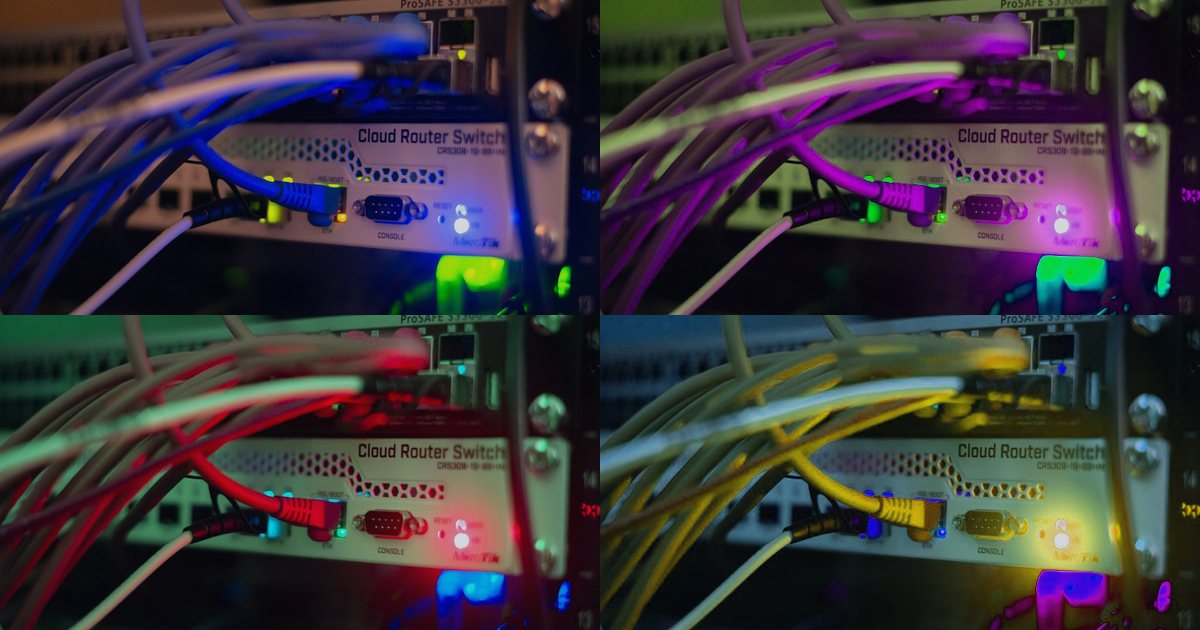
You rent a server. You own every CPU cycle, every byte of RAM, every disk sector. No neighbors, no hypervisor, no virtualization tax. That's bare metal in a sentence.
But is it worth the premium over a $5-per-month VPS or a pay-per-hour cloud instance? I've migrated clients from shared cPanel to VPS to bare metal and back again, so let's walk through what bare metal actually means, how it stacks up, and whether it belongs in your stack.
What is a bare metal server?
A bare metal server is a physical machine you rent from a data center. The entire box is yours: the motherboard, the BIOS, the network interface. You install an operating system directly on the hardware with no virtualization layer in between.
Think of it like renting an apartment versus renting a house. A VPS is one apartment in a building where fifty other tenants share the same foundation, plumbing, and electrical panel. Bare metal is the whole house. You still don't own the land (the data center owns the rack and uplink), but the structure itself is yours alone.
The hosting provider plugs the machine into power and network, gives you remote console access (usually IPMI or iDRAC), and you take it from there. No pre-installed control panel, no default OS image unless you ask. Just raw hardware.
How does it differ from VPS and cloud?
A VPS runs inside a hypervisor like KVM, VMware, or Hyper-V. The hypervisor slices one physical server into ten or twenty virtual machines. Each VM gets a share of CPU, a chunk of RAM, and a virtual disk carved from a SAN or local RAID.
Cloud instances (AWS EC2, Google Compute Engine, Azure VMs) are VPS with extra features: auto-scaling, snapshot APIs, load balancer integration, per-hour billing. The underlying tech is still virtualization.
Bare metal skips the hypervisor. The kernel you boot talks directly to the CPU scheduler, the memory controller, and the disk controller. No translation layer. That means:
- Predictable performance. On a VPS, a noisy neighbor running a Bitcoin miner can steal CPU cycles or saturate disk I/O even if the host has resource limits. Bare metal has no neighbors.
- Full hardware control. You can tune kernel parameters, load custom modules, or even flash firmware if the IPMI lets you. On a VPS, some sysctls are locked and hardware passthrough (for GPUs, for example) requires provider support.
- Dedicated network. The NIC is yours. No one else is sending packets through the same virtual bridge. Some providers even let you order multiple 10GbE uplinks or configure your own VLANs.
The trade-off is flexibility. Spinning up a new VPS takes sixty seconds. Provisioning bare metal can take hours (or days if the provider has to physically install RAM or drives).
The performance difference (and when it matters)
Virtualization overhead used to be brutal—10% to 20% CPU penalty in the Xen days. Modern KVM with virtio drivers cuts that to low single digits for most workloads. For a typical web app serving JSON over Nginx, you won't notice.
But overhead compounds in three places:
- Disk I/O under high concurrency. A WordPress site doing 10 req/s sees no difference. A Postgres database handling 5,000 transactions per second on NVMe will. VirtIO-blk and virtio-scsi are good, but direct NVMe access is better.
- CPU-bound tasks with tight loops. Video encoding, cryptographic operations, and game server ticks all run faster on bare metal. The hypervisor's scheduler introduces jitter—tiny delays when the host switches between VMs—that can hurt real-time workloads.
- Network throughput at line rate. Pushing 10Gbps through a VPS is possible but requires tuned virtio-net settings and sometimes SR-IOV. Bare metal hits line rate with default settings.
I've seen a Rails app move from a 16GB VPS to an 8-core bare metal box and cut median response time by 30%. The database was the bottleneck; giving it dedicated NVMe removed the I/O wait spikes.
On the flip side, I've also seen static sites on bare metal that could have run on a $4 VPS. If your app spends most of its time waiting for external APIs or sleeping between cron jobs, bare metal is overkill.
Cost comparison: bare metal vs VPS vs cloud
Numbers vary by provider, but here's the pattern:
- Shared hosting: a few dollars per month. You get a cPanel account on a server with hundreds of other accounts. Good for small WordPress sites, terrible for anything custom.
- VPS: $5 to $80 per month depending on RAM and CPU. Most hosting engineers I know use a 4GB VPS for staging and a 16GB one for production. Budget providers (Vultr, Linode, DigitalOcean) bill monthly or hourly.
- Cloud instances: $10 to $200+ per month for reserved instances, or pay-per-hour with premium for auto-scaling and managed services. You pay extra for bandwidth, snapshots, and load balancers.
- Bare metal: $80 to $500+ per month. Entry-level boxes (quad-core Xeon, 32GB RAM, 2×1TB SATA) start around $80. High-end (dual 16-core EPYC, 256GB RAM, NVMe RAID) can hit $500 or more.
Bare metal is the most expensive per instance but the cheapest per unit of guaranteed performance. If you need the resources of a 32GB VPS 24/7, buying a bare metal box with 64GB and running your own VMs on it can be cheaper.
When bare metal makes sense
You should consider bare metal if:
- You run databases with high IOPS. Postgres, MySQL, MongoDB, Redis—anything that writes to disk thousands of times per second benefits from dedicated NVMe.
- Compliance or licensing requires physical isolation. Some regulations (PCI-DSS Level 1, HIPAA with certain interpretations) prefer or require dedicated hardware. Some software licenses (Oracle, Microsoft SQL Server) charge per physical CPU socket, making bare metal cheaper than cloud.
- You host game servers or real-time apps. The hypervisor scheduler can add 1-5ms jitter. For a web app, that's invisible. For a Counter-Strike server or a trading platform, it's noticeable.
- You need predictable costs at scale. Cloud bills can explode if traffic spikes. Bare metal is a fixed monthly cost. Once you're running multiple large VPS instances, consolidating onto bare metal saves money.
- You want to run your own hypervisor. Renting bare metal and installing Proxmox or VMware ESXi gives you cloud-like flexibility at a lower per-VM cost.
Bare metal is a bad fit if:
- You need auto-scaling. Spinning up a new bare metal server takes hours. Spinning up a cloud VM takes seconds.
- Your workload is bursty. If you need 32GB of RAM for two hours a day and 4GB the rest of the time, cloud instances that you can stop and start are cheaper.
- You're just starting out. A VPS is easier to manage, easier to upgrade, and cheaper to abandon if the project dies.
How to set up your first bare metal server
Most bare metal providers give you a choice: order a preconfigured OS image, or boot a rescue ISO and install manually. I'll show you the manual path because it teaches you what's actually happening.
Step 1: Order the server and note the credentials
After you pay, the provider sends you:
- The public IP address
- IPMI/iDRAC/iLO credentials (username and password for the remote console)
- Root password or SSH key, if they pre-installed an OS
IPMI is a separate management interface. It runs on its own chip on the motherboard and lets you power-cycle the machine, access the BIOS, and mount remote ISOs even if the OS is broken.
Step 2: Connect to IPMI and mount an install ISO
Log in to the IPMI web interface. The URL is usually the IPMI IP (sometimes on a private network you reach via VPN). Look for "Remote Console" or "KVM Console."
Mount the installer ISO for your OS of choice—Debian, Ubuntu Server, Rocky Linux, whatever. Most IPMI panels have a "Virtual Media" menu where you upload an ISO or point it at a URL. Set the boot order to CD-ROM first, reboot, and the installer starts.
Step 3: Partition and install the OS
The installer will detect the disks. If the server has two drives, you probably want software RAID 1 (mirroring). The Debian installer has a "Guided - use entire disk and set up RAID" option. Ubuntu's installer uses LVM on RAID by default.
Choose a strong root password or paste in your SSH public key during setup. Skip any graphical desktop packages. Select "OpenSSH server" if asked. The installer will write the bootloader and reboot.
Step 4: Log in via SSH and lock it down
Once the machine reboots, SSH to the public IP:
ssh root@YOUR_SERVER_IP
First thing: update the system and secure SSH.
apt update && apt upgrade -y  # Debian/Ubuntu
# or
dnf update -y  # Rocky/AlmaLinux
Edit /etc/ssh/sshd_config:
PermitRootLogin prohibit-password
PasswordAuthentication no
PubkeyAuthentication yes
Restart SSH:
systemctl restart sshd
Now only key-based login works. Add a firewall:
apt install ufw
ufw allow 22/tcp
ufw allow 80/tcp
ufw allow 443/tcp
ufw enable
Or use firewalld on RHEL-based systems.
Step 5: Install your stack
From here you install whatever your app needs: Nginx, Apache, MySQL, Docker, whatever. The process is identical to a VPS. The difference is you know you own every resource on the box.
If you want to run multiple projects, install a hypervisor like Proxmox or plain KVM/libvirt and create VMs. That gives you the flexibility of cloud with the performance of bare metal.
Common pitfalls (and how I've seen them break things)
RAID configuration errors. The hardware RAID controller (if your server has one) has its own BIOS. If you don't configure the RAID array before installing the OS, the installer might see no disks. Boot into the RAID BIOS (usually Ctrl+R or Ctrl+H during POST) and create the array first.
IPMI network lockout. Some IPMI interfaces default to DHCP on a private network. If you reboot the switch or the provider changes your VLAN, you lose access. Set a static IP in the IPMI config and document it.
No out-of-band access during kernel panic. A VPS host can reboot your VM from the outside. Bare metal requires IPMI. If the kernel panics and IPMI is broken, you file a support ticket and wait for someone to physically press the power button.
Underestimating disk failure. VPS storage often has redundancy behind the scenes. On bare metal, if a drive dies and you don't have RAID, you lose data. Budget for backups or configure RAID 1 at minimum.
Monitoring and maintenance: what's different
On a VPS, the host monitors hardware and swaps failed drives. On bare metal, you get an email: "Drive in bay 2 has SMART errors." The provider might auto-replace it, or you might have to open a ticket.
Install monitoring for disk health:
apt install smartmontools
systemctl enable smartd
Check SMART status periodically:
smartctl -a /dev/sda
Look for reallocated sectors or pending sectors. If the numbers climb, the drive is dying.
For temperature and fan speed, install lm-sensors:
apt install lm-sensors
sensors-detect
sensors
Some IPMI panels expose this data too, but CLI access is faster when you're already SSH'd in.
Our verdict: who should rent bare metal in 2026?
Bare metal makes sense if you need guaranteed performance, physical isolation, or cost efficiency at scale. For a single production app, compare the monthly cost of your largest VPS to an entry-level bare metal box. If you're paying $80+/month for a VPS, bare metal might be cheaper and faster.
It's a bad fit if you need rapid scaling, bursty workloads, or managed services like auto-snapshots and one-click load balancers. The learning curve is also steeper—you're responsible for RAID, firmware updates, and hardware failures.
In support tickets I handled, teams switching to bare metal usually did it for databases or high-traffic APIs where VPS I/O was the bottleneck. They saw immediate performance gains. Teams switching back to VPS usually did it because they wanted to stop thinking about hardware and pay for convenience.
There's no universal answer. Run your app on a VPS first. Profile it. If CPU steal time is high or disk I/O wait dominates, try bare metal. If your $40 VPS is sitting at 10% CPU, stay put.
Questions
Can I upgrade RAM or CPU on bare metal later?
Some providers let you schedule hardware upgrades. Others require you to rent a new server and migrate. Check the provider's policy before signing up.
What if I need Windows Server?
Most bare metal hosts offer Windows as an OS option. Licensing adds $20-$40/month to the base price.
Is bare metal the same as a dedicated server?
Yes, the terms are interchangeable. "Bare metal" emphasizes the lack of virtualization; "dedicated server" emphasizes that you don't share the box.
Can I use Cloudflare or a CDN in front of bare metal?
Absolutely. Bare metal is just a server with a public IP. Point your DNS at it, put Cloudflare in front, and you're set.
Do I need a control panel like cPanel?
No. Most bare metal users manage servers via SSH. If you want cPanel, you can install it yourself (license costs extra), but many people use bare metal precisely to avoid control panel overhead.
What to check before you sign the contract
Read the provider's SLA for hardware replacement time. Some guarantee four-hour response; others say "next business day." If uptime is critical, you need two bare metal servers behind a load balancer.
Check bandwidth limits. Many bare metal plans include 10TB or 20TB per month; overage charges can be steep. If you serve video or large files, confirm the overage rate upfront.
Test IPMI access during the first week. Reboot the server remotely, mount an ISO, browse the BIOS. Make sure it works before you migrate production traffic. I've seen IPMI interfaces that were misconfigured or firewalled off, and discovering that during an emergency is painful.
Finally, confirm backup policy. Most providers don't include backups; you either configure remote backups yourself or pay extra for managed backup space. A VPS host might snapshot your disk automatically. Bare metal usually doesn't.